Clients pick a slot
A clean public page with your available times. Booked slots disappear automatically.
Start with a working booking page: clients pick a time slot and leave their details, and you get a private, sign-in-protected list of upcoming bookings.
Build this app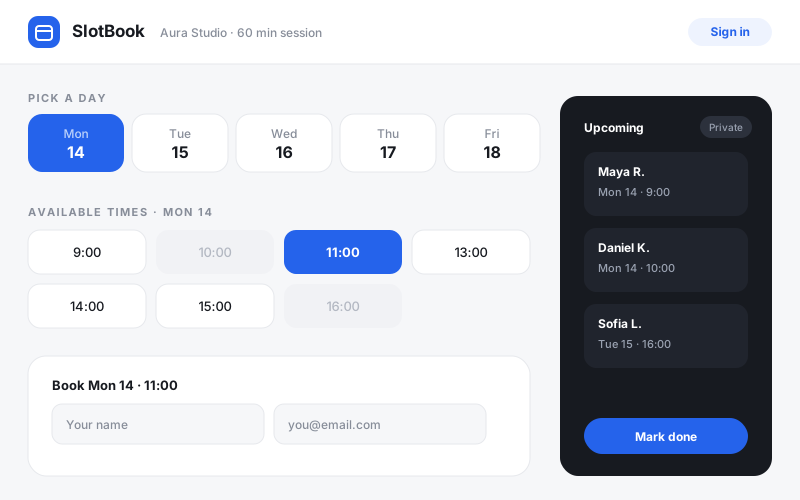
A clean public page with your available times. Booked slots disappear automatically.
Every booking lands in the app's own database — no spreadsheet, no lost emails.
Sign in to see upcoming bookings, mark them done, or cancel. Clients never see this.
Review it before you build, then change the business name, services, rates, colors, or workflow.
Build a mobile-first client booking app called SlotBook for a solo service provider (a studio, barber, tutor, or consultant).

Public booking page:
- Show the next 14 days of available time slots based on configurable working hours (default Mon–Fri, 9:00–17:00, 60-minute slots).
- Booked slots are hidden or shown as unavailable — double-booking must be impossible.
- Booking a slot asks for name, email, and an optional note, then shows a friendly confirmation with the date and time.

Private operator view (sign-in required):
- A list of upcoming bookings sorted by date, with the client's name, email, and note.
- Mark a booking as completed or cancel it (cancelling frees the slot).
- A simple settings section for working hours and slot length.

Use schema.ts and @omg-dev/sdk useCollection for persistent bookings and settings. Require sign-in only for the operator view — the public page must work for anonymous visitors. Use a calm, professional look with rounded cards, clear empty states, and large tap targets on mobile. Seed three realistic sample bookings so the operator view looks useful immediately.The heart of a booking app is a simple rule: a slot is either open or taken. Define your working hours and appointment length first; the calendar interface is just a view over that. Getting the model right makes double-bookings impossible instead of merely discouraged.
Visitors should see availability and a booking form — nothing else. The list of who booked what belongs behind sign-in. This split (public form, private dashboard) is the same pattern every serious booking product uses.
Don't force clients to create an account to book. Collect a name and email on the booking itself; save accounts and sign-in for the operator side, where they actually protect something.