A page worth sharing
Headline, pitch, and a single email field. No clutter between a visitor and the signup.
Start with a polished launch page that collects waitlist signups into a real database, shows a live signup count, and gives you a private dashboard of who joined.
Build this app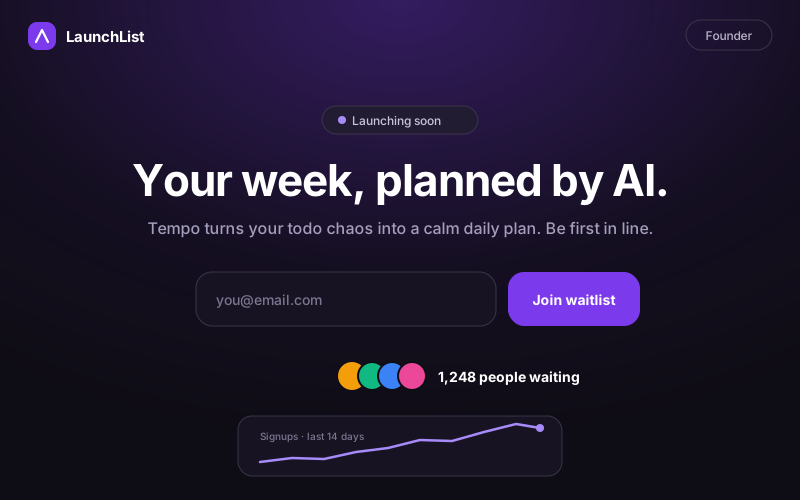
Headline, pitch, and a single email field. No clutter between a visitor and the signup.
Every email lands in the app's database and the public counter updates instantly.
Sign in to browse signups, see the growth curve, and copy the list out when you launch.
Review it before you build, then change the business name, services, rates, colors, or workflow.
Build a mobile-first waitlist launch page called LaunchList for a product that hasn't launched yet.

Public page:
- A bold headline, one-sentence product pitch, and a single email signup field with a clear call to action.
- On signup: validate the email, prevent duplicates gracefully ("you're already on the list"), and show a warm confirmation with the person's position in line.
- A live counter of total signups, read from the database, displayed as social proof.

Private founder view (sign-in required):
- A list of signups, newest first, with email and signup date.
- A simple line showing signups per day for the last 14 days.
- A copy-all-emails button for export.

Use schema.ts and @omg-dev/sdk useCollection so signups persist. The public page must work for anonymous visitors; only the founder view requires sign-in. Use a confident, modern landing-page look — generous spacing, one accent color, dark-friendly. Seed a believable sample list of about 40 signups spread over two weeks so the counter and chart look alive immediately.The highest-converting waitlist pages say what the product does in one sentence, show one email field, and promise one concrete thing for signing up (early access, a discount, a founding-member badge). Everything else is optional.
A live signup count is social proof — but only if it's genuine. Wiring the counter to the actual database takes one sentence in an AI builder and reads very differently from a hardcoded number.
Signups should land somewhere you control and can export — not a third-party widget's dashboard. When you launch, that list is the product's first distribution channel.